English
Cafe Launcher
Cafe Launcher is a community-built third-party desktop launcher for Blue Archive JP. The main window shows installation status, game version, notices, and running status; it can reuse an existing official installation or install the game from scratch.
Download · Installation and first run · Troubleshooting
IMPORTANT
This community project is not affiliated with Nexon, Nexon Games, Yostar, or the official Blue Archive team. It does not modify the game process or inject code into it. Read the User Agreement and Privacy Policy before use; the Chinese versions are authoritative.
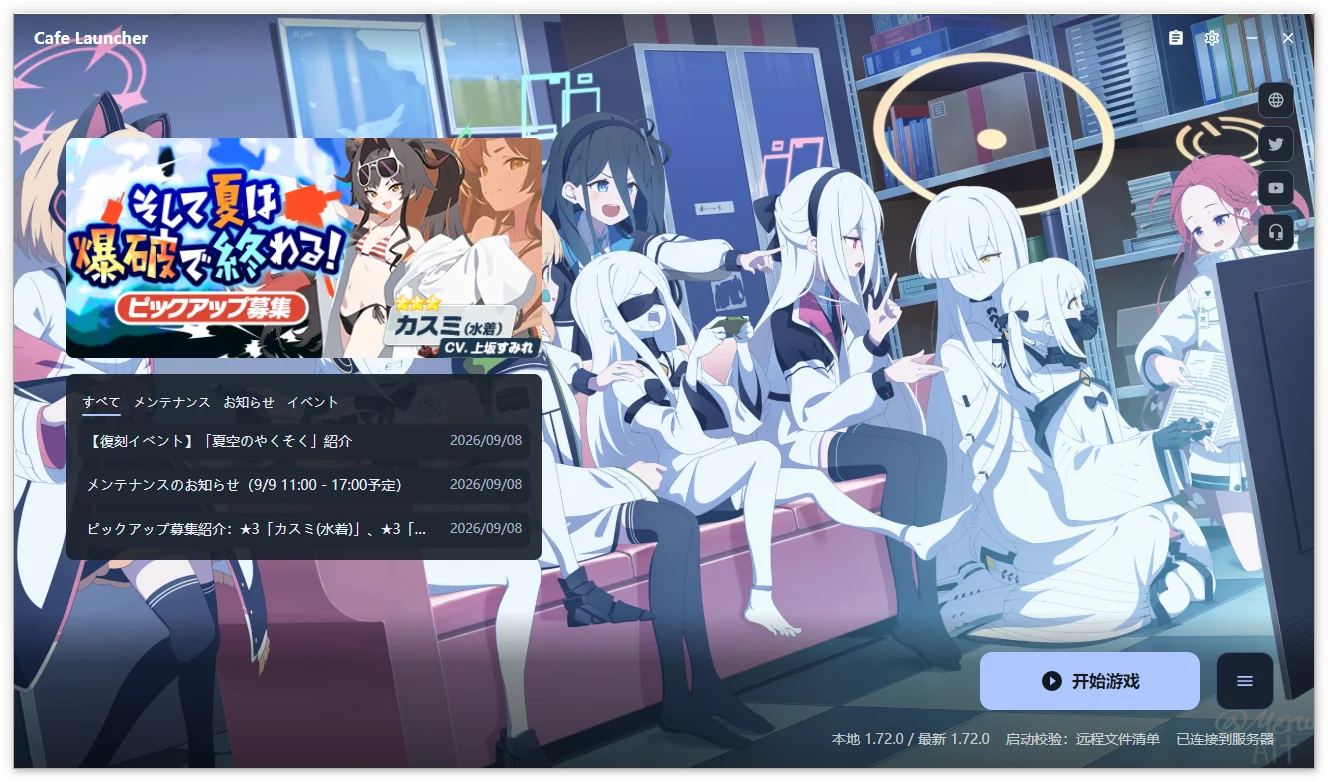
Shared screenshots show the Chinese interface and may come from earlier versions. Follow the text for current controls and settings groups.
Start here
| Your goal | Guide |
|---|---|
| Download, reuse existing files, or install for the first time | Installation and first run |
| Change paths, networking, backgrounds, colors, or motion | Settings |
| Download, repair, launch, or use the tray | Game operations |
| Choose Chinese-localized resources and enter a UID | Resource Panel |
| Remove game files, the launcher, or local data | Uninstall and data |
| Troubleshoot, export logs, and report a problem | FAQ, feedback |
| Windows shows an unknown publisher or SmartScreen / Smart App Control blocks the app | Windows security warnings |
Features
Availability depends on the platform. Windows is supported; macOS and Linux limitations are listed below.
Game management
Install, incrementally update, repair, launch, and uninstall from the main window. Launch verification checks file existence and size; repair checks file contents using CRC64. Game uninstall removes the whole game directory, with its scope and path shown before confirmation.
Downloads and networking
Choose Official or Cafe download sources, use up to 10 concurrent transfers, limit speed, pause, and resume. Normal exit preserves a recoverable download task; actively stopping discards that task's recovery record. See network settings.
Desktop experience
Use English, Simplified Chinese, Traditional Chinese, or Japanese; system/light/dark themes; wallpaper-derived colors; custom images; and local video backgrounds. Preview appearance changes, then save or discard them.
A system tray, local log viewer, and ZIP diagnostics export are included. Windows can download and verify launcher updates in-app; macOS and Linux use manual installation from the release page.
Chinese localization resources
The Cafe download source provides game text, main-story Chinese voice, and image/video resources. Toggle each in the Resource Panel using an eight-uppercase-letter localization UID, distinct from the numeric in-game account UID.
Platform status
| Platform | Architecture | Scope |
|---|---|---|
| Windows 10 1809+ / Windows 11 | x64 | Supported, including game launch, video backgrounds, and in-app updates |
| macOS | Apple Silicon | Experimental; install, update, and repair; no game launch |
| Linux | x64 | Experimental; game launch through separately installed UMU / Proton or Wine |
The Windows x64 launcher and updater are published as Native AOT and require no separate .NET installation; macOS and Linux packages include the .NET Runtime. Linux anti-cheat compatibility depends on the runner, Proton build, drivers, and game version; historical hardware testing does not establish support for every combination. See Compatibility runtime.